05
An internal WordPress plugin I progressively built to simplify preview, deployment and day-to-day workflows for editors working with headless websites.
- Year
- 2023
- Role
- Developer
- Status
- In progress
Context
Headless architecture brings a lot of benefits to modern websites, especially around frontend performance and architecture.
But it also introduces a problem for editors.
The frontend is no longer directly inside WordPress.
A static production site, a preview environment and the WordPress back office can therefore become separate experiences.
The goal of this internal plugin was to remove that friction.
Editors should be able to work from WordPress without having to understand branches, deployments, preview URLs or the underlying headless architecture.
The Initial Problem
The first version was very simple.
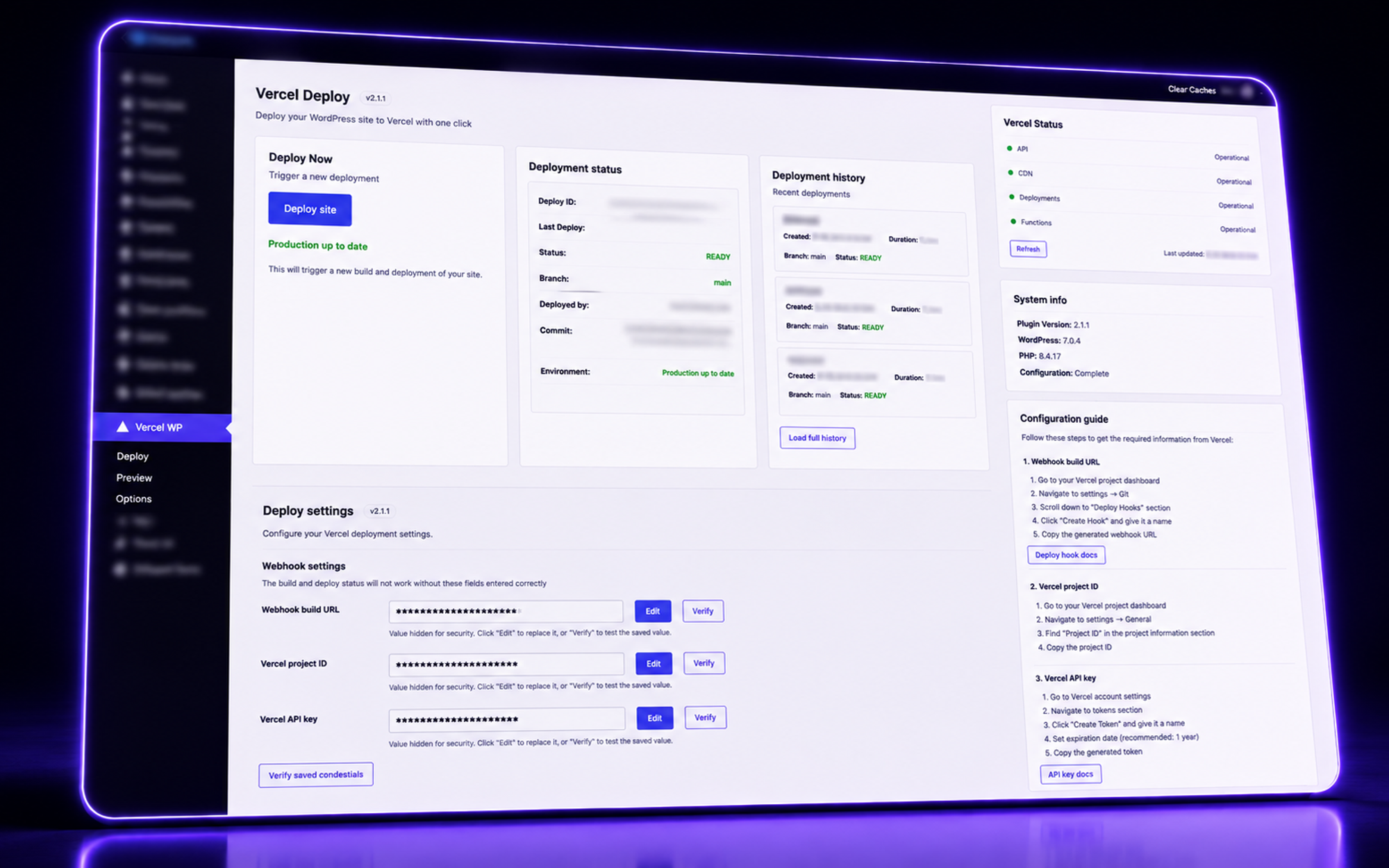
I needed a way to trigger a production deployment from WordPress.
Using the Vercel API, the plugin could trigger the main branch and deploy the static production website.
At that stage, the preview workflow was still handled separately through WordPress configuration.
This first implementation became the foundation for what would eventually become a much larger internal workflow tool.
Evolution
The plugin evolved progressively through real projects.
Instead of trying to design everything upfront, I added features whenever I encountered a recurring friction in the workflow.
The initial deployment tool gradually became a broader interface for previewing, deploying and managing headless websites from WordPress.
Preview
One of the biggest improvements was changing the way previews worked.
Instead of sending editors to a separate preview URL, I wanted the preview experience to remain inside WordPress.
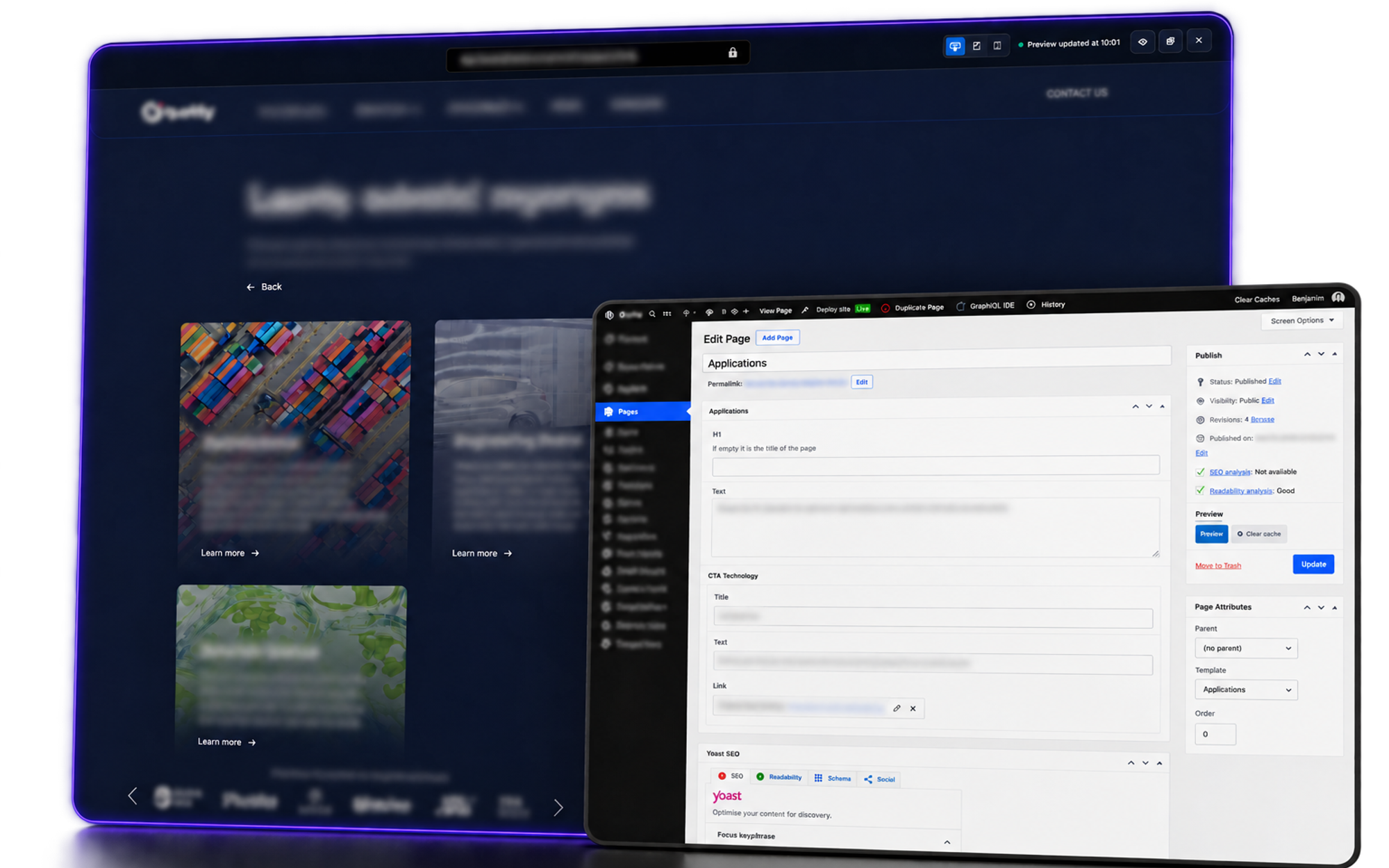
The standard WordPress preview action was replaced with an interface that displays the preview directly over the back office.
This creates a much more familiar experience for editors while keeping the headless architecture underneath.
The preview interface can provide actions such as:
- reload the preview
- clear caches
- resize the preview to inspect responsive layouts
- monitor the current deployment state
Deployment
The plugin can trigger deployments through the Vercel API.
The interface also provides feedback about the deployment process.
It can display:
- deployment status
- build completion
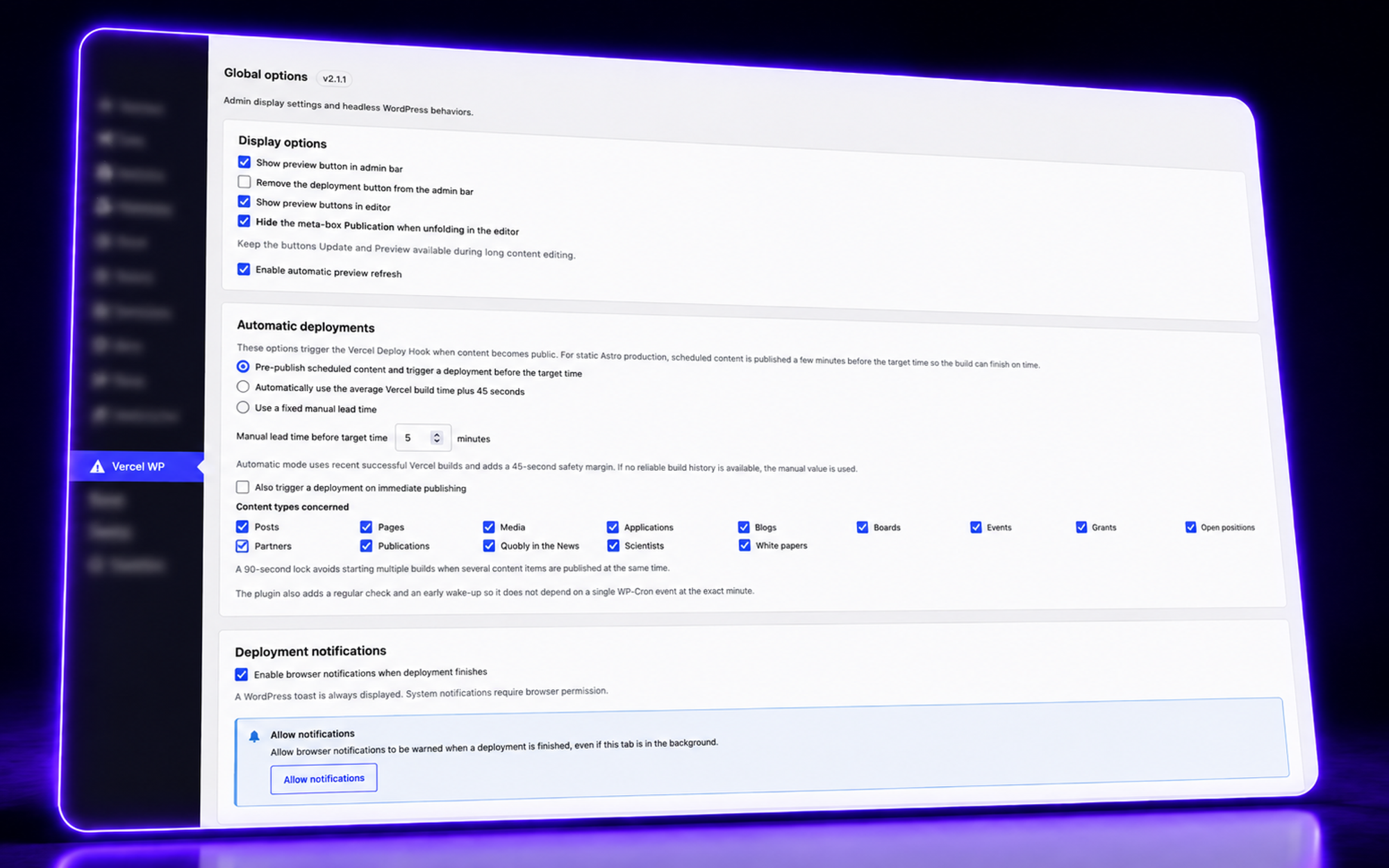
- internal notifications
- elapsed time
- Vercel status
The goal is to make the deployment process understandable without exposing the underlying technical workflow.
Environments
During development, the workflow typically involves different environments:
- WordPress back office
- preview
- production
The plugin helps reduce the friction between these environments.
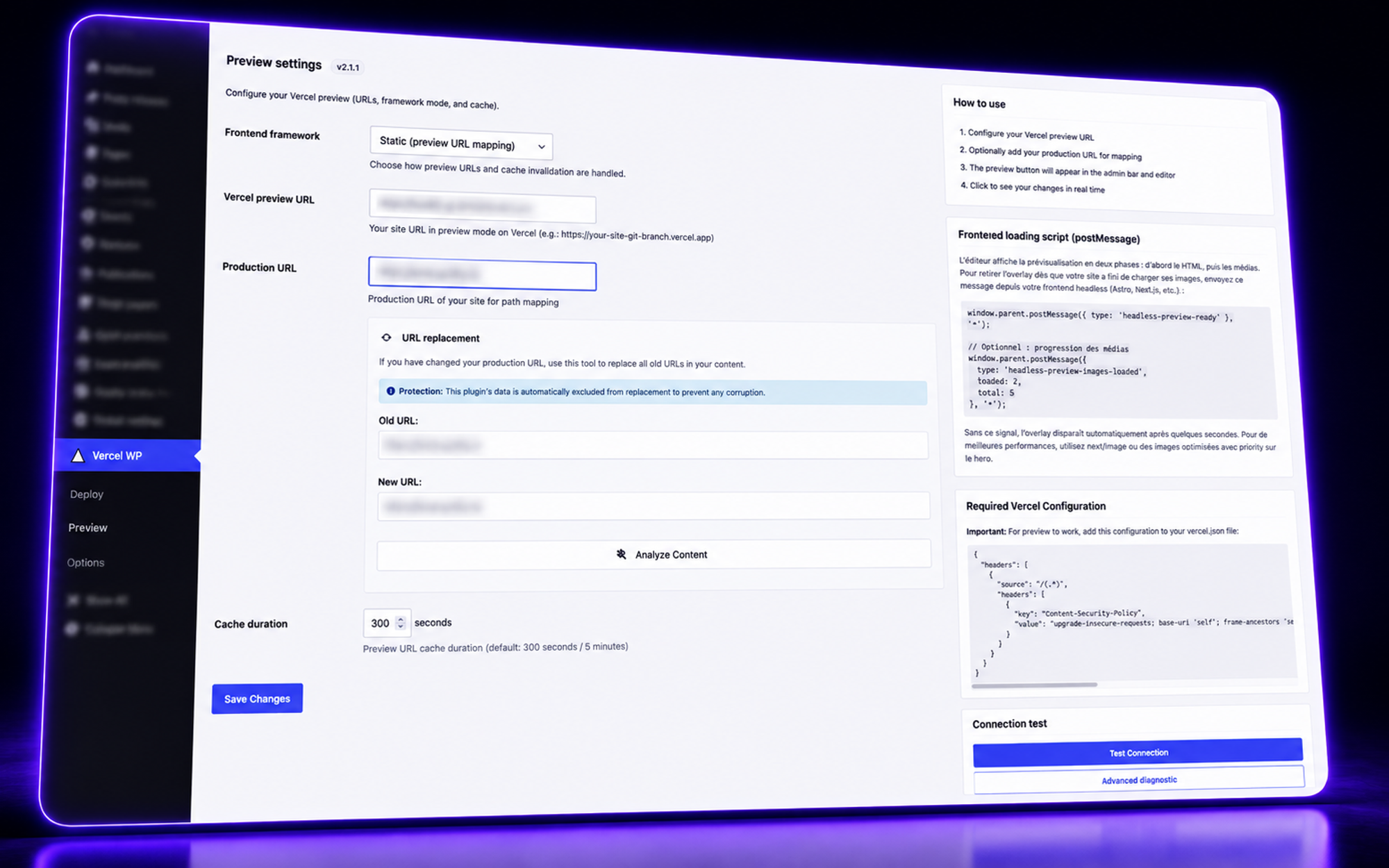
It also includes a search-and-replace workflow for URLs.
When a project moves to production, the production URL can be provided and the database can be cleaned up accordingly.
This avoids having to manually correct preview URLs that may have been stored during development.
WordPress Administration
As the headless architecture evolved, the WordPress back office became intentionally more restricted.
Some standard WordPress areas were no longer appropriate for the editorial workflow.
The plugin therefore provides additional functionality directly inside the custom interface.
For example, editors can create template pages directly from the plugin.
The objective is to keep the WordPress back office focused on the actual editorial workflow.
Design Direction
The interface was inspired in part by the editorial experience of Sanity.
Rather than treating preview as a separate page, I wanted the editor to remain inside the back office and interact with the frontend through an integrated visual layer.
The interface should therefore feel like a tool inside WordPress rather than an external application.
Technical Decisions
Vercel API
Use the Vercel API to trigger deployments from the WordPress environment.
Preview architecture
Keep the preview experience connected to the headless frontend while presenting it directly inside the WordPress back office.
Progressive development
The plugin was not designed as a complete system from the beginning.
It evolved feature by feature as new requirements and workflow problems appeared across projects.
Workflow
- 01
Identify friction
When a recurring problem appeared in the headless workflow, I looked for a way to remove it rather than solving it manually every time.
- 02
Build the smallest useful solution
The initial deployment functionality was deliberately simple.
- 03
Iterate
As the workflow evolved, new features were added around previewing, deployments, environments, URL management and editorial actions.
- 04
Bring everything together
The result became a single internal interface that hides much of the technical complexity from editors.
Results
What started as a simple deployment trigger progressively became a broader internal workflow tool.
Editors can work with a headless website without having to understand the underlying technical architecture.
The complexity remains underneath.
The editorial experience stays familiar.
Conclusion
The goal was never to hide the technology completely.
It was to remove the parts of the technology that editors should never have to think about.
Headless gives me more control over the frontend.
The plugin makes sure that control does not come at the expense of the editorial experience.
Gallery